
Company details
Your company details are used in several places: on your invoices and e-invoices (Peppol), on your workspace’s public privacy page, and to link your workspace to your Teamdock subscription. So fill them in as early as you can.
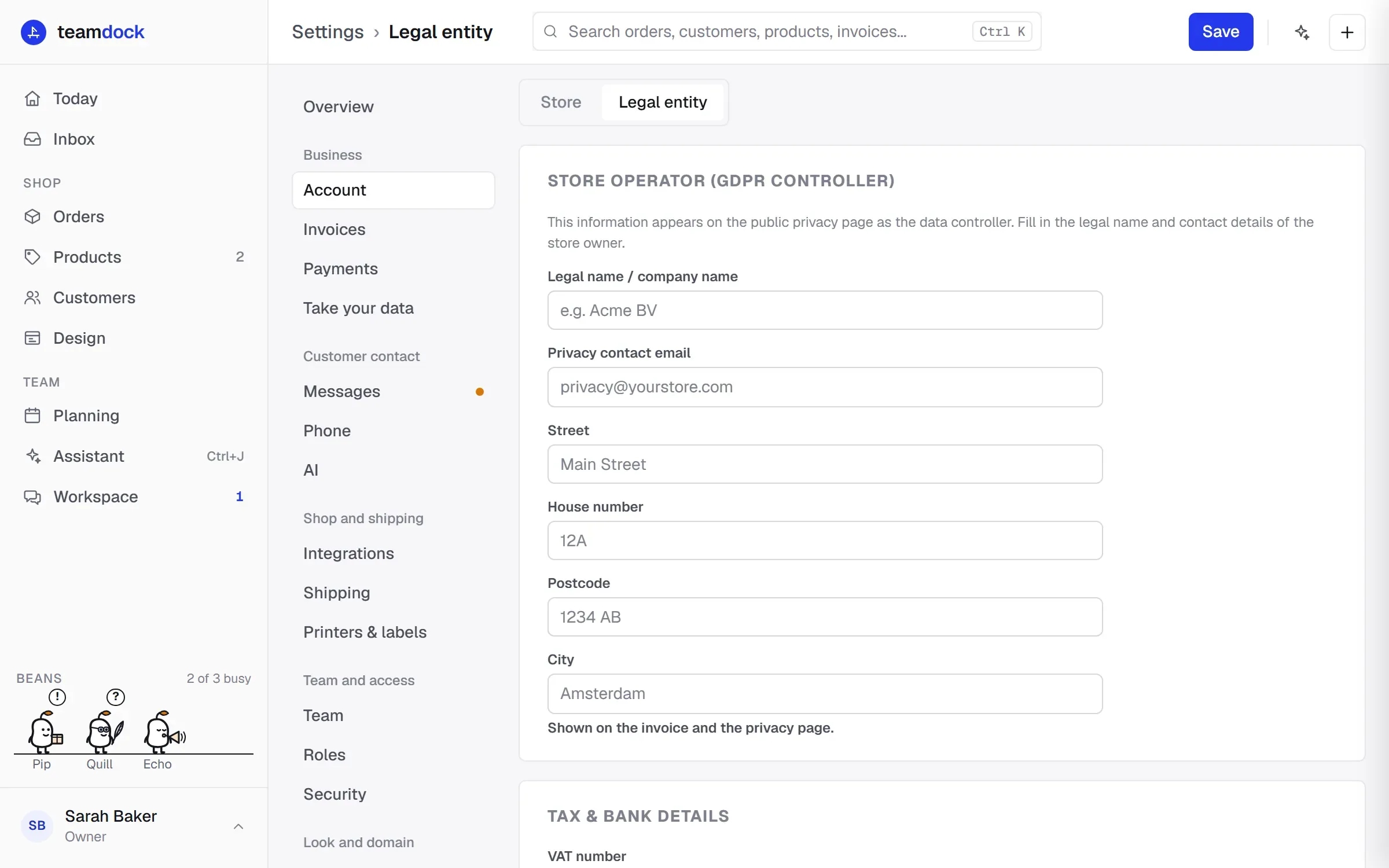
You find them under Settings → Account → Legal entity. You need the right Settings: shop, e-mail, shipping, printers for this.
Store operator
Section titled “Store operator”Under Store operator (GDPR controller) you fill in who is responsible for your customers’ data. That is you, as the shop owner.
| Field | What to fill in |
|---|---|
| Legal name / company name | Your company’s official name, for example Acme BV. |
| Privacy contact email | The address customers can use for privacy questions. |
| Street, House number, Postcode, City | Your business address. It is shown on your invoice and on the privacy page. |
Tax & bank details
Section titled “Tax & bank details”Under Tax & bank details you fill in what needs to be on your invoices and your Peppol registration:
| Field | What to fill in |
|---|---|
| VAT number | Your VAT number, for example NL123456789B01. |
| KvK-nummer | Your 8-digit Dutch Chamber of Commerce (KvK) number. Required for e-invoices (Peppol); it becomes the legal company identifier on your invoices. |
| IBAN | The account your customers pay into. It is shown on the Peppol invoice as the payment instruction. |
| BIC | Your bank’s BIC. |
| Account holder | The name on the account. |
Click Save at the top when you are done.
Read more about invoices and Peppol in Invoices and Peppol.
Your privacy page
Section titled “Your privacy page”Every workspace has a public privacy page at yourcompany.teamdock.ai/privacy. It shows the name, email address and address from Store operator as the data controller. Your colleagues see a link to that page on the sign-in screen. See also Data and privacy.
The Store tab
Section titled “The Store tab”Next to Legal entity is the Store tab. That is where you connect your WooCommerce shop. See Connect WooCommerce.