
Costs and disputes
If you record the price agreement with a carrier, every shipment gets a quoted price. When the carrier then reports its invoiced price, you see straight away whether it charges more than agreed. If it does, you make a dispute pack with everything you need to claim the difference back.
How it works
Section titled “How it works”- Under Settings → Shipping → Other carriers → Details → Rates, set up the price agreement with your Pier carrier: zones, prices per pallet and parcel, surcharges and fuel surcharge.
- When you register a shipment, Teamdock calculates the price by the agreement. You see it straight away, for example Price by the rate card: €145.00 (Germany).
- Afterwards the carrier reports its final price per shipment through its integration.
- Teamdock compares the two. If the difference is more than €1 or 1% of the quoted price, the shipment is flagged.
For a DACHSER shipment whose freight price you chose in the order form, Teamdock also keeps that price as the quoted price.
The Costs tab
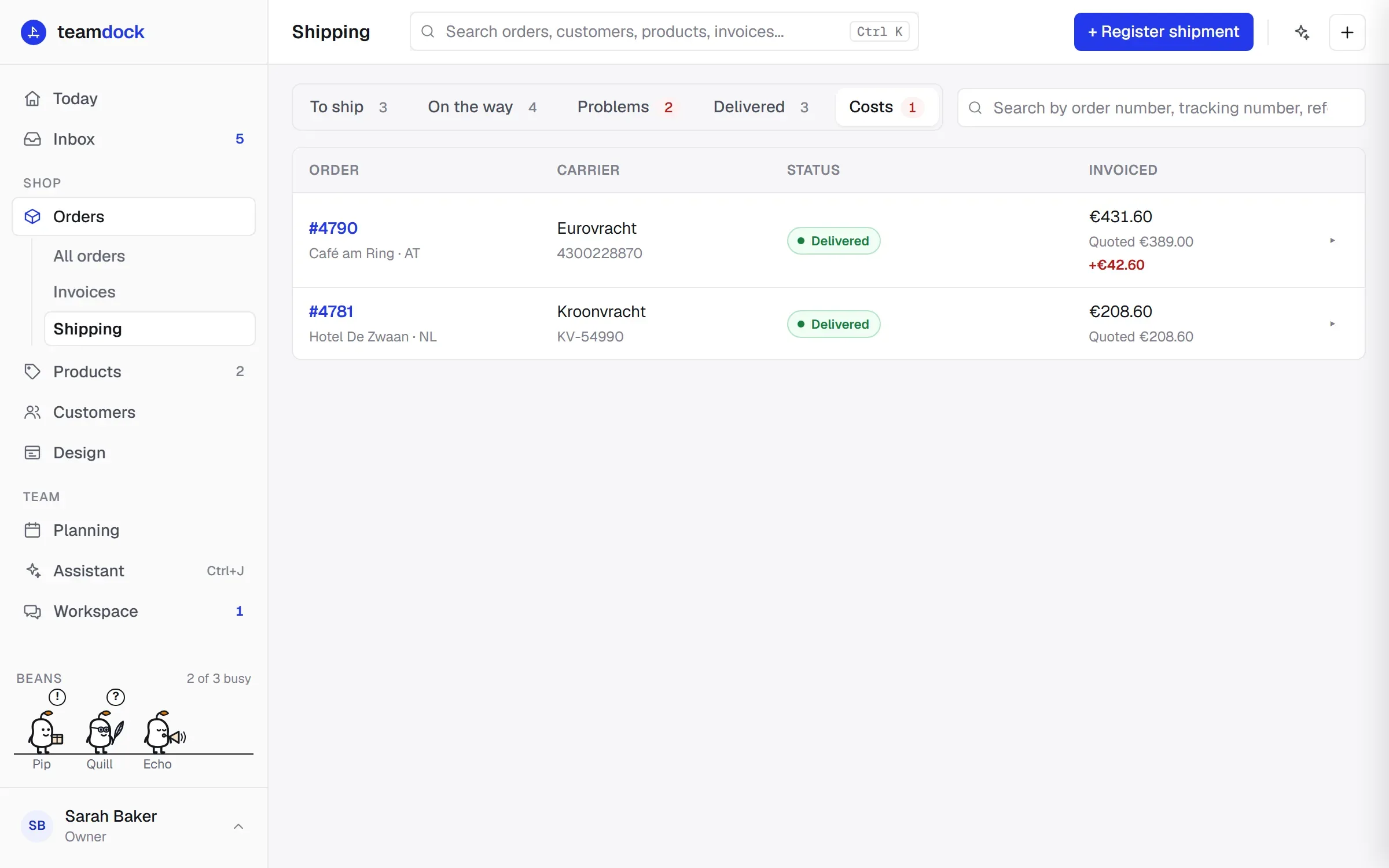
Section titled “The Costs tab”The Shipping page has a Costs tab. It lists every shipment the carrier has invoiced, with the biggest difference at the top. For each shipment you see Invoiced, Quoted and, when it is more than agreed, the difference in red. The number on the tab is the number of shipments with an invoice that is too high.
If there are no invoiced shipments yet, you see No invoiced shipments yet.
Making a dispute pack
Section titled “Making a dispute pack”- Expand the shipment on the Shipping page or on the order.
- Click Dispute pack. The button appears as soon as the shipment has a quoted or invoiced price.
- Check the Invoice dispute page.
- Click Print or PDF to make a PDF of it, or Copy letter to paste just the letter into your own e-mail.
The dispute pack contains:
- Agreed, Invoiced and Difference;
- Agreed price: the breakdown of the quoted price, line by line, with the Total;
- Packages as booked: what, count, dimensions and weight each;
- Proof of delivery: the photos and signatures, with who received it;
- Timeline: the shipment’s history;
- Letter: a ready-made letter to the carrier. It names the shipment and your order number, the agreed price, the invoiced amount and the difference, when and by whom the shipment was received, and asks the carrier to credit the difference or to support the surcharge with documents.
Teamdock sends nothing itself: you decide whether and how you send the pack to the carrier.
- A dispute is stronger with proof of delivery. Let the driver deliver with the driver link, and there is always a name with a photo or signature.
- If the agreement has changed, update the rates. New shipments then get the new price.