
Customer contact in Teamdock
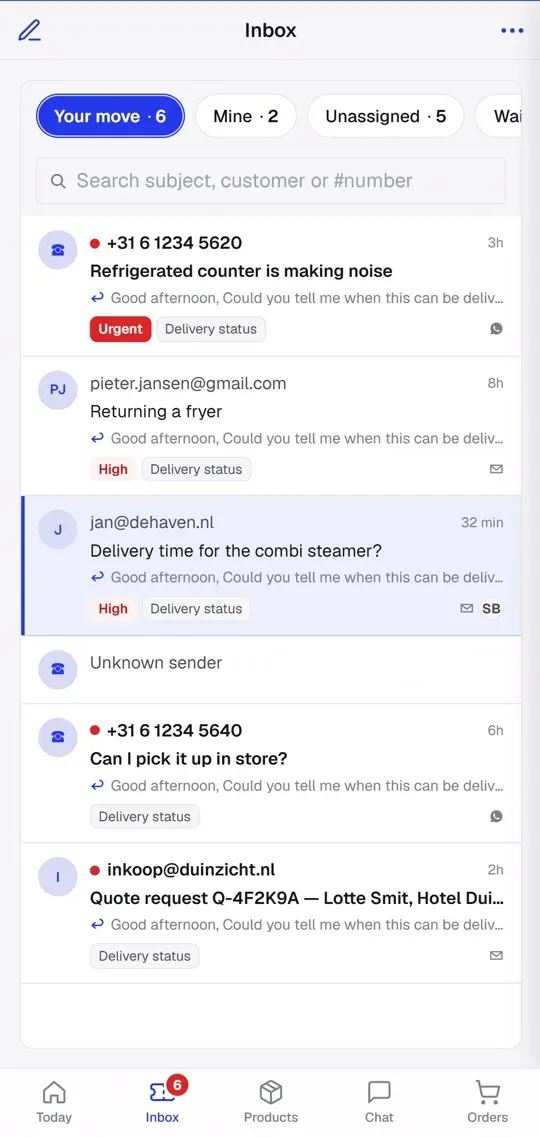
Teamdock collects your customers’ messages in one shared Inbox. Every question becomes a ticket: your team sees whose move it is, replies straight from the ticket and records internally what happened. On top of that, every employee has their own private mailbox in My email.
What comes in?
Section titled “What comes in?”| Channel | How it reaches Teamdock | Reply from Teamdock |
|---|---|---|
| A shared mailbox (e.g. support@) that you sync into tickets | Yes, from the mailbox the message arrived on | |
| Through Meta’s WhatsApp Business Cloud API | Yes, once the access token is set | |
| Manual | You create a ticket yourself, for example after a phone call | No, record what you did in an internal note |
| Phone (Rinkel) | Incoming calls show up as a notification, and you call customers from Teamdock | Not applicable |
All channels share one list. Use the Channel filter in the Inbox to narrow it down to just email or just WhatsApp.
Where to find what
Section titled “Where to find what”- Inbox in the main menu: all of your team’s tickets, with the FAQ tab for your knowledge base.
- My email: your own work mailbox. Those messages stay private and never become tickets.
- Settings → Messages → Email: sending domain, mailboxes, the ticket filter and your email signature.
- Settings → Messages → WhatsApp: the WhatsApp connection.
- Settings → Phone: the Rinkel connection.
- Settings → Notifications: notifications on your phone or computer about new tickets, replies and calls.
Get started in four steps
Section titled “Get started in four steps”- Set up a sending domain or your own mail server, so replies go out from your own address. See Connect email.
- Add your shared mailbox (e.g. support@) and turn on Sync this inbox into tickets.
- Fill the FAQ knowledge base with your standard answers, so the AI writes better draft replies.
- Turn on notifications on your phone, so you don’t miss a new customer message.
All topics
Section titled “All topics”Working with ticketsWhose move it is, replies, notes, snoozing and assigning.
Connect emailSending domain, mailboxes, IMAP/SMTP and the ticket filter.
FAQ knowledge baseStandard answers the AI uses for drafts.
My emailYour own private work mailbox in Teamdock.
WhatsAppCustomer messages via WhatsApp Business as tickets.
Phone (Rinkel)Incoming calls and calling from Teamdock.
NotificationsPush notifications on your phone or computer.