
Orders and invoices
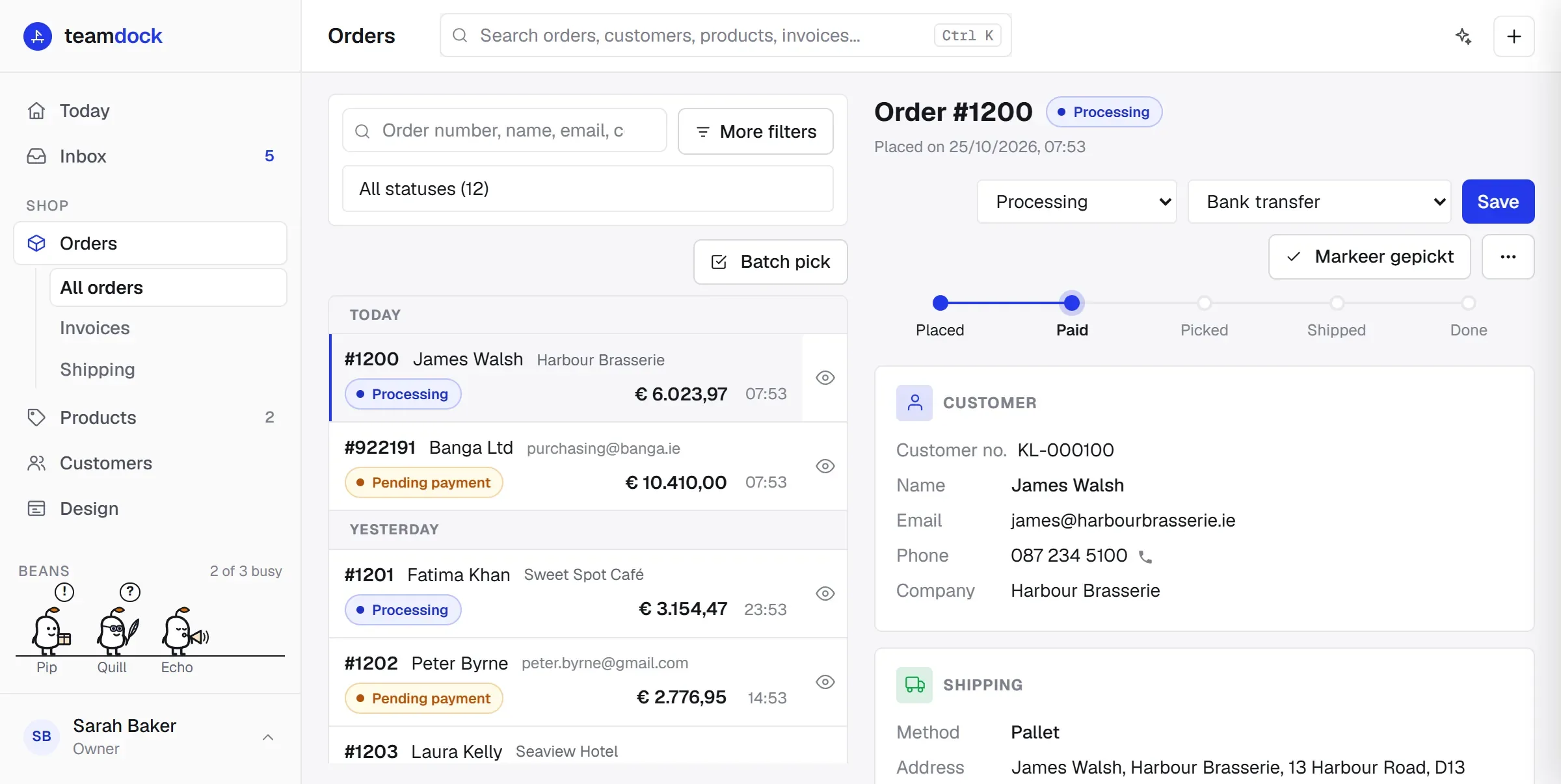
In Teamdock you work with the orders from your WooCommerce shop without opening wp-admin. You see new orders come in, set them to the right status, create orders and quotes yourself, send invoices (including as Peppol e-invoices) and keep track of your customers. Everything you change here is saved straight to your shop: WooCommerce stays the record, Teamdock is the place you work.
Where to find what
Section titled “Where to find what”The menu on the left has:
- New order: the button at the top of the menu. Use it to create an order or a quote. Shortcut:
n. - Orders: opens All orders. Invoices and Shipping appear underneath when you are on one of those pages.
- Customers: every customer from your shop, with their orders, quotes, tickets and invoices. Shortcut:
c.
The settings that go with this are under Settings, in the Business group:
- Settings → Account → Legal entity: your company name, address, VAT number, KvK number and IBAN. These go on your invoices.
- Settings → Invoices: the connection for invoices and Peppol, your logo on the invoice, and which payment methods Teamdock offers.
- Settings → Payments → Providers: online payment of invoices through your Mollie account.
- Settings → Take your data: export everything as spreadsheets.
From order to invoice
Section titled “From order to invoice”An order usually goes through Teamdock like this:
- The order comes in from your shop, or you create it yourself with New order.
- If it has not been paid yet, you email the customer a payment link with Email payment request.
- Once paid, the status becomes Processing. The warehouse picks and ships the order.
- You send the invoice. Business customers on Peppol receive it as an e-invoice in their accounting software; other customers receive it by email with a PDF.
- When everything has been delivered, you set the order to Completed. If you have set this up, the invoice goes out automatically at that moment.
At the top of an open order you see that progress as a bar too: Placed, Paid, Picked, Shipped, Done.
In this section
Section titled “In this section”Working with ordersThe list, searching and filtering, quick look, statuses, notes and the More actions menu.
Creating an order or quoteMake an order or quote yourself, as a guest or on a customer account, with a payment link.
Refunds and exchangesMoney back, restocking, credit notes and exchanging items.
InvoicesSend invoices, follow payments and make standalone invoices.
Peppol e-invoicesWhat Peppol is, what you need, and how to see whether an e-invoice arrived.
Online payment of invoicesLet customers pay their invoice with your own Mollie account.
CustomersCustomer details, payment terms, VAT checks and privacy requests.
Exporting your dataCustomers, orders, products, tickets and invoices in one ZIP.
Shipping, labels and carriers from an order are covered in the Shipping section: see Shipping desk and Carriers.